Image editor · macOS · 100 % local

Images on
your terms.

Picnite brings together layers, precise selection and one-click background removal. Edit quickly, with no accounts, clouds or unnecessary menus.

$2.99forever · one payment

30-day free trial One payment No subscription No ads
Picnite1280 × 800
Full Picnite editor interface on macOS
4 layers active
Remove background · local
AI · Coming soon
100 %Local · your files never leave your Mac
1.47 MBestimated download size from Apple
30 daysfull trial, for free
$2.99one payment · forever

01 · Features

An editor that does
the work with you.

These are real screenshots of Picnite on macOS. Every tool is where you expect it, making editing fast and simple without endless panels or cryptic shortcuts.

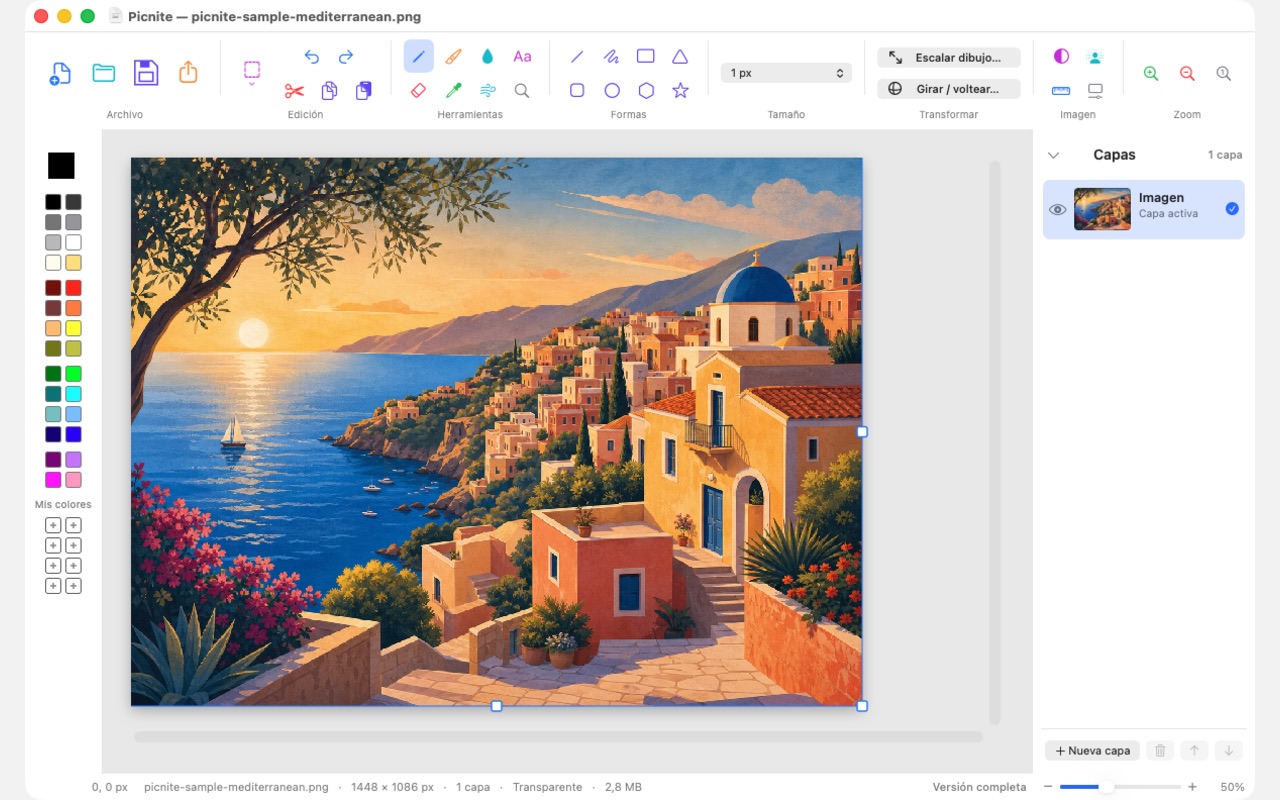
01 Full editor view: tool rail, canvas, layers and status bar
The editor

Everything at hand,
nothing to learn.

A classic tool rail, a canvas that responds instantly and your own color palette. The interface follows the appearance of your Mac, in light or dark.

  • Pencil, brush, airbrush, eraser, fill and eyedropper
  • Lines, curves, text and eight customizable shapes
  • Pixel rulers and localized zoom for precision
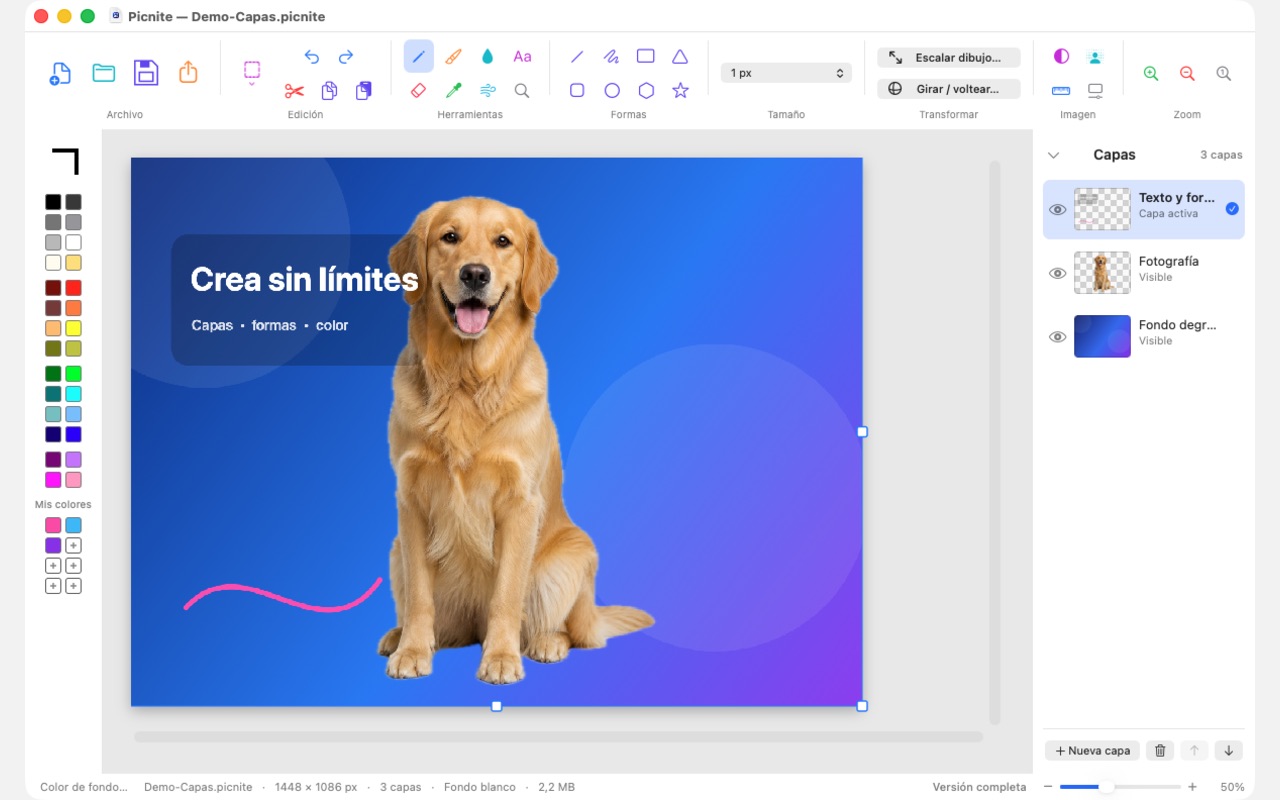
02 Native Picnite project with layers, thumbnails and a custom color palette
Layers and projects

Work in layers,
saved forever.

Organize your composition with layers, visual thumbnails, order and visibility. Save your .picnite project with layers and custom colors, and pick up tomorrow right where you left off.

  • Layer thumbnails and visibility control
  • Custom colors and an advanced picker
  • Open and export PNG, JPEG, WebP, BMP, GIF and TIFF
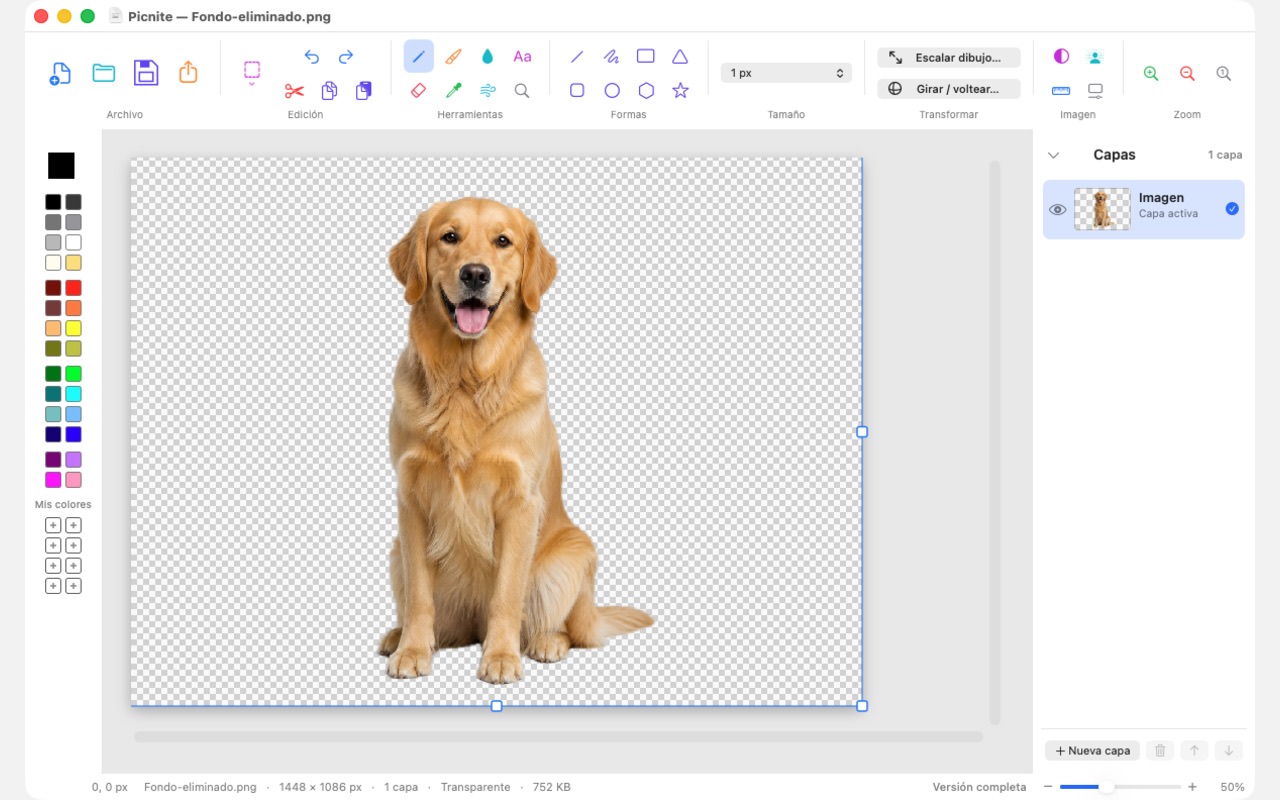
03 Result of removing the background from an image inside Picnite
Remove background

One click, and
the background is gone.

Remove the background from a photo directly on your Mac with the same subject-isolation engine used by Preview. Your image never leaves your device: nothing is uploaded anywhere.

  • Processed locally with Apple Vision
  • Keeps the original pixel size
  • Detects all subjects, not just the main one
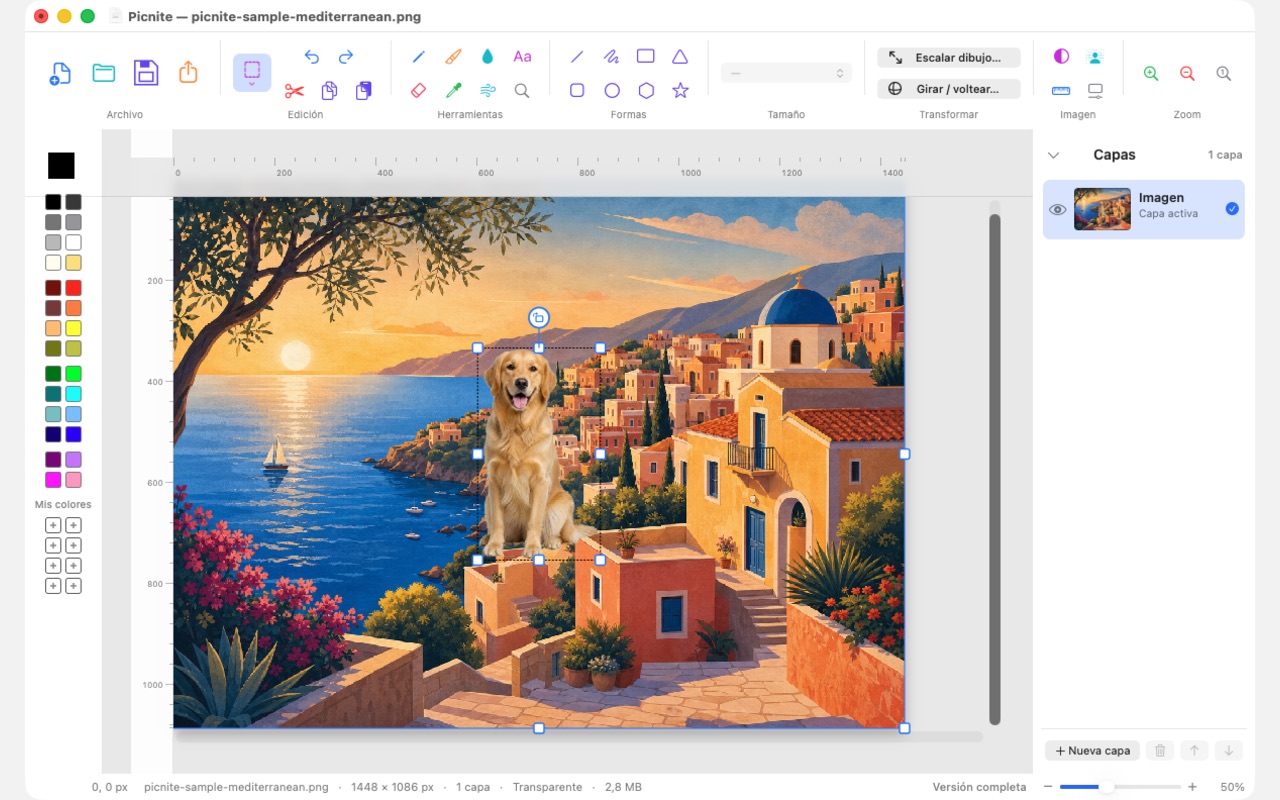
04 Floating selection with rotation handle and pixel rulers in Picnite
Selection and transform

Move, rotate
and crop with precision.

Rectangular or free-form selection, with floating content you can move, resize and rotate without losing a single pixel. Scale, flip, invert colors and round corners all in one place.

  • Floating selection with a rotation handle
  • Scale, flip, invert colors and round corners
  • Safe undo and redo history

02 · Coming soon

AI assistant.
On its way.

We are fine-tuning an AI assistant that will edit the canvas with you: fill, erase, transform or adjust colors through conversation. It is not available in this version, but it will be free during the trial when it arrives.

  • Your provider, your keyThink of connecting it to an OpenAI-compatible provider and keeping your keys encrypted in the macOS Keychain.
  • It will really edit the canvasThe AI will draw, erase and transform using Picnite's tools, always with your confirmation.
  • LocalOnly the conversation will travel to the provider you choose. Your images will stay on your Mac.
AI assistant Coming soon
Remove the dog's background and put it on a white background.
I removed the background and adjusted the canvas to a white background. Want me to add a soft shadow too?
Yes, and make it smaller.
Done: soft shadow added and subject scaled to 70 %. Press Undo if you want to try something else.

03 · Privacy

Your images
stay with you.

Picnite works locally. It needs no account, shows no ads and collects none of your data. That's the deal.

No accounts

No sign-up, no login. Open, edit and done.

Local processing

Background removal and the rest of the editing happen on your Mac, not on a server.

No ads

The app shows no ads and sells no data. Your attention stays on the image.

04 · Pricing

Try everything.
Pay once.

The 30-day trial includes every tool, with no limits. When it ends, Picnite is yours forever for just $2.99. One payment, with no subscription, automatic charges or renewals.

Picnite forever

Permanent unlock

$2.99one payment

  • All formats and tools, no limits
  • Save and open .picnite projects with layers
  • Background removal included
  • Restore your purchase on any Mac
Start free trial

Start the 30-day free trial from the app.
U.S. and Spain prices shown; Apple displays local pricing elsewhere.

A good image
starts with getting out of the way.

Edit quickly and without complications. Try Picnite for 30 days and decide at your own pace. If you like it, it is yours forever for $2.99. No subscription.

Try free